Tutorial 4 of 5
Export a book and plan a zine
Intermediate 6 min
Review a contact sheet, preserve full lettering and understand folded booklet page order.
Use Export book after reviewing every page. A single editable project is your source; clean art and planning files serve different practical uses.
Review the whole story
Contact sheet SVG places every page in order with its page number and title. Contact sheet PNG rasterizes the same overview. Open contact print view opens the clean SVG in another tab so you can use the browser's print controls.
The contact sheet is an overview with thumbnail pages. Export individual full-size art from the page editor when preparing final comic pages. The book report identifies lettering warnings; resolve them before exporting comic art.
Book lettering CSV preserves complete dialogue in page and panel reading order, including page titles, balloon styles and font sizes. Notes from the book properties stay in the editable project and do not appear in the art.
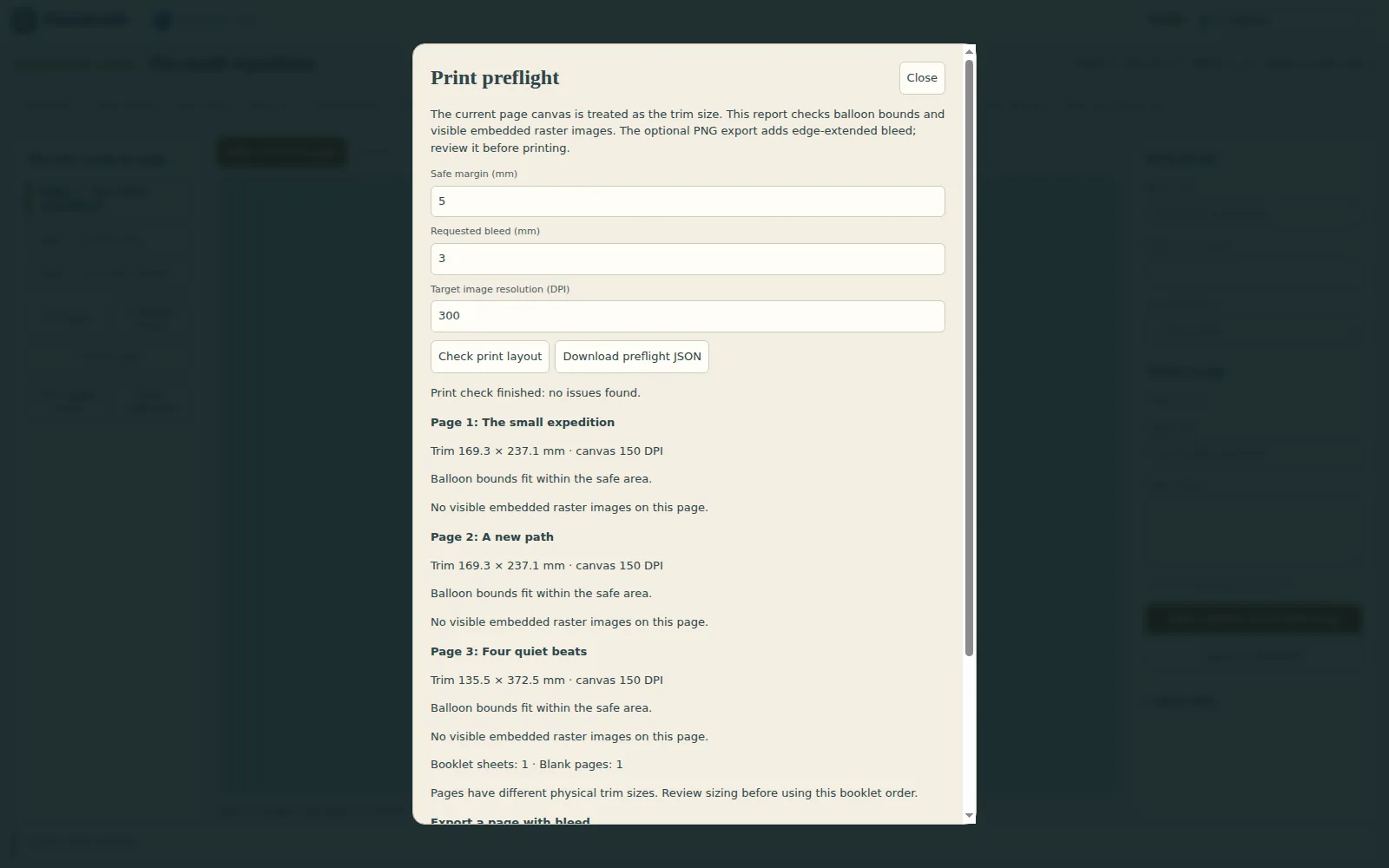
Print preflight treats each page canvas as its trim size and reports physical dimensions, conservative balloon safe-area checks, effective resolution of visible embedded images, and mixed page sizes. Choose your safety margin, requested bleed and target DPI, then review or download the report. The optional Download page PNG with bleed stretches the outermost pixels into the requested margin while keeping the trim area intact. This can create visible streaks and cannot recover missing artwork, so inspect each edge. Set the intended page DPI when placing the PNG; browser PNG exports do not reliably record it. Preflight does not arrange printer sheets or certify a print-ready file; confirm the final requirements with your printer.
Read the booklet plan
Choose Booklet sheet order in Export book. The table lists, for every sheet, the page numbers on the front left, front right, back left and back right; Download booklet plan saves it as JSON. The My pocket zine template is a ready-made eight-page start. A folded booklet needs a multiple of four pages, because each physical sheet has two sides with two pages on each side. The plan pads the source with blanks when needed.
For an eight-page left-to-right book, the outer sheet has page 8 beside page 1 on the front, and page 2 beside page 7 on the back. The inner sheet pairs 6 with 3, and 4 with 5. Right-to-left binding reverses each pair.
This is a sheet-order plan. It does not arrange or rescale comic art on a printer sheet, add bleed or compensate for folding creep. Use a print-layout program or printer booklet option to prepare the final sheets, and confirm duplex orientation with a small paper test.
Continue in another app
Where a compatible usefulweb app is available, the export dialog offers Open … in another app. Send the selected page as PNG, the contact sheet as SVG or the book as JSON. Imports from another app accept panel images and validated comic book, comic page or tone JSON. Projects continue to stay on your device.
Ready to try it?